Running LLMs Locally with MLX
Jul 3, 2026 - ⧖ 2.0 minAlso available in: Português
After WWDC 2026, I had the curiosity to try running the model locally on my MacBook and I had a nice surprise because it works well.
This is not about performance or better results, it's self-hosting and using my hardware to run my own models.
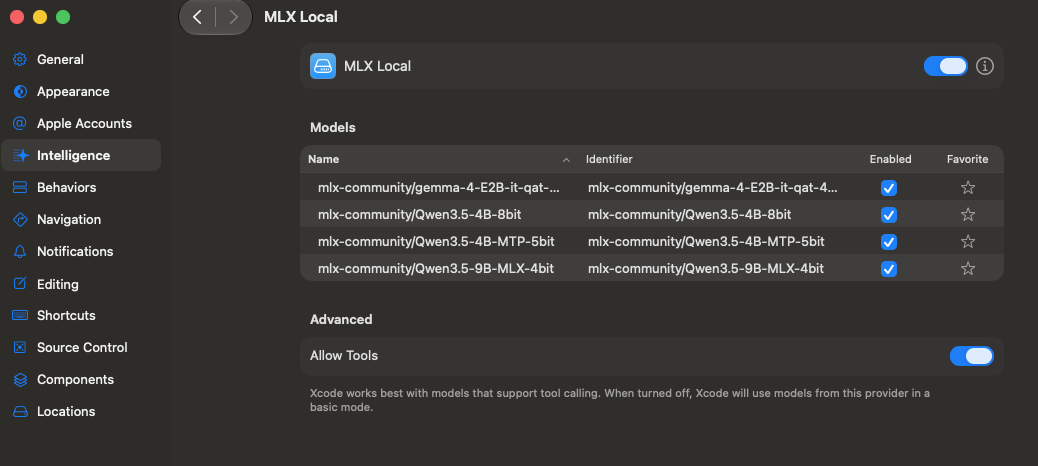
Sometimes I would like to run models for small development tasks and text processing on my machine, not with the best results or to replace me. I write my code on my personal computer, but I would like a smart sidekick to help with simple tasks. After watching the talk, I started the setup and it was so simple. I selected the model mlx-community/Qwen3.5-9B-MLX-4bit to run on my MacBook.
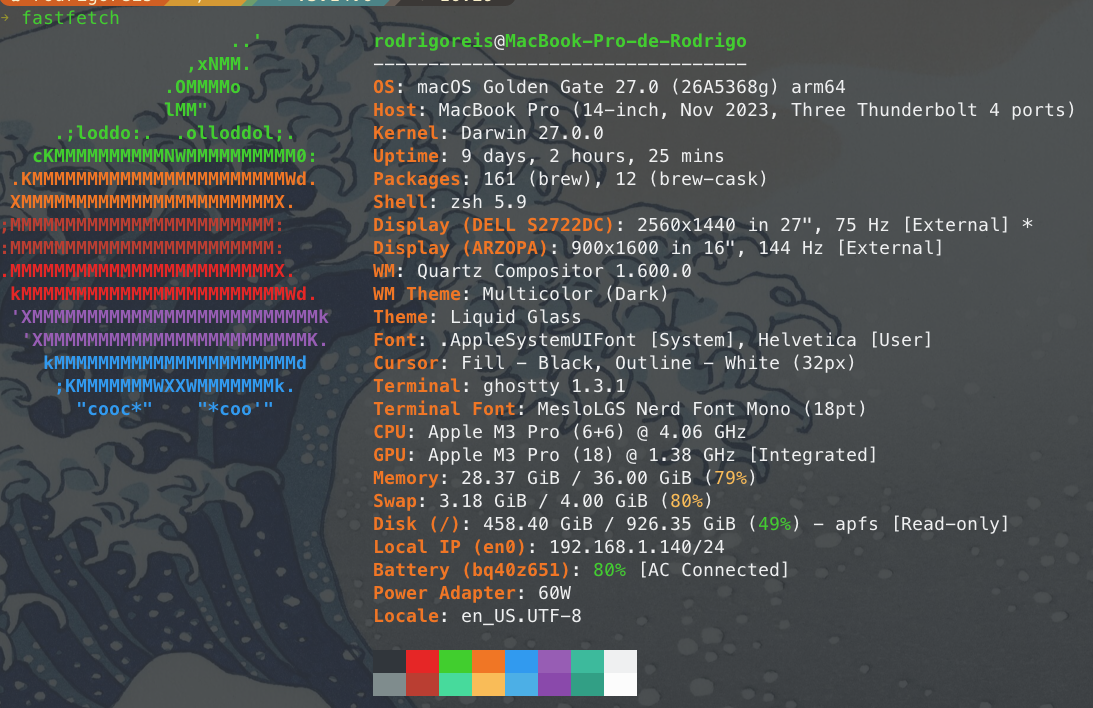
In the image, we can see two important points: you need memory on the machine because LLMs are hungry for memory. The other important point is the setup for tools. I used OpenCode in the terminal to run the main tasks, just like in the talk. The setup was more complicated because it's not easy to find if you're not familiar with the tool.
For run the model is simple, one line and up a local API server :
mlx_lm.server --model mlx-community/Qwen3.5-9B-MLX-4bitIn the Xcode is more simple the setup, with the simple URL (http://localhost:8080) and all will setup very fast.
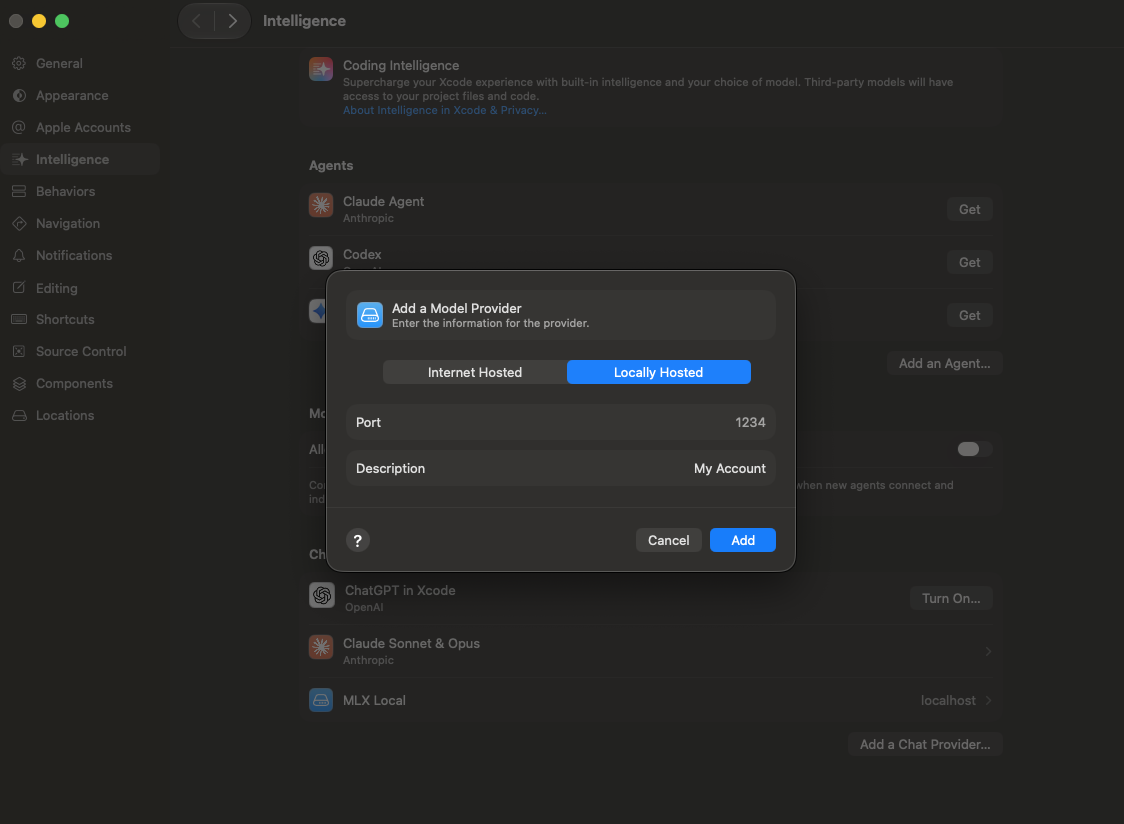
And after is easy to select locals models for the use in the Apple Intelligence inside Xcode.
Conclusion
Until this moment my experience is very happy with the local models strategic and my next step is cancel de CoPilot subscribe, I will move for OpenCode API like a backup and to use is some cases where I need run in remote new models.
Other point is maybe a best hardware will improve my experience, a M5 Pro has some new feature and improve the local models.